Create Quotation
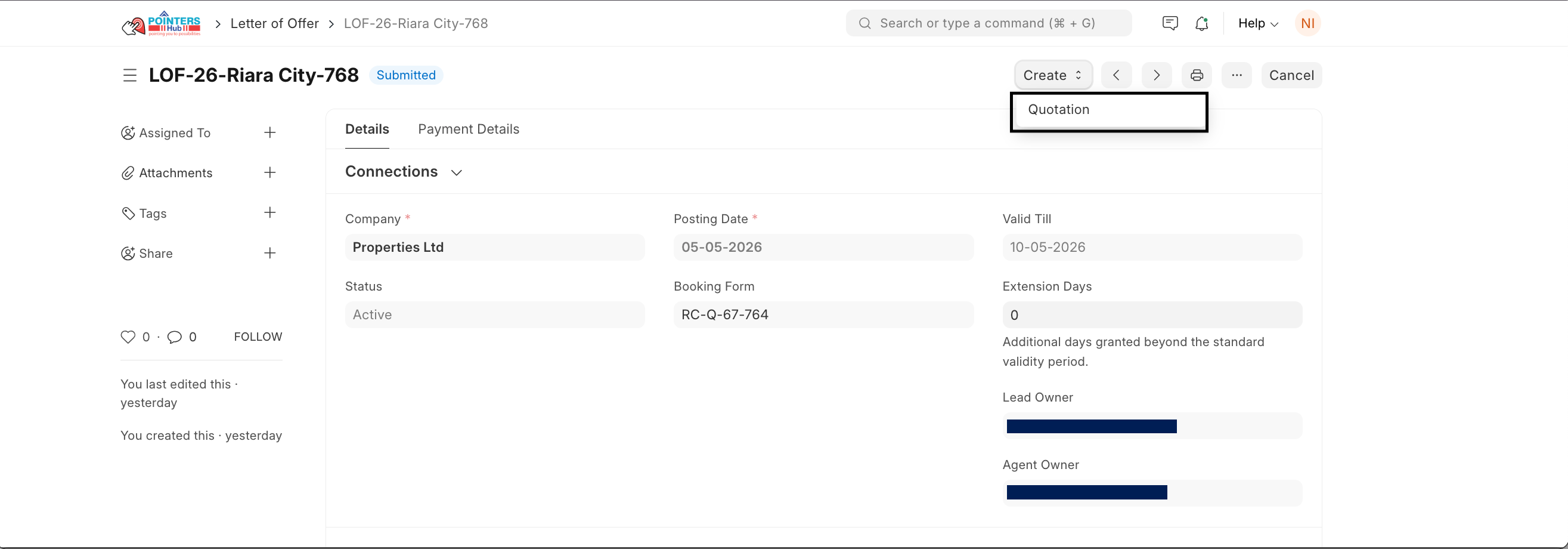
- Open the Letter of Offer.
- Click Create then click Quotation.
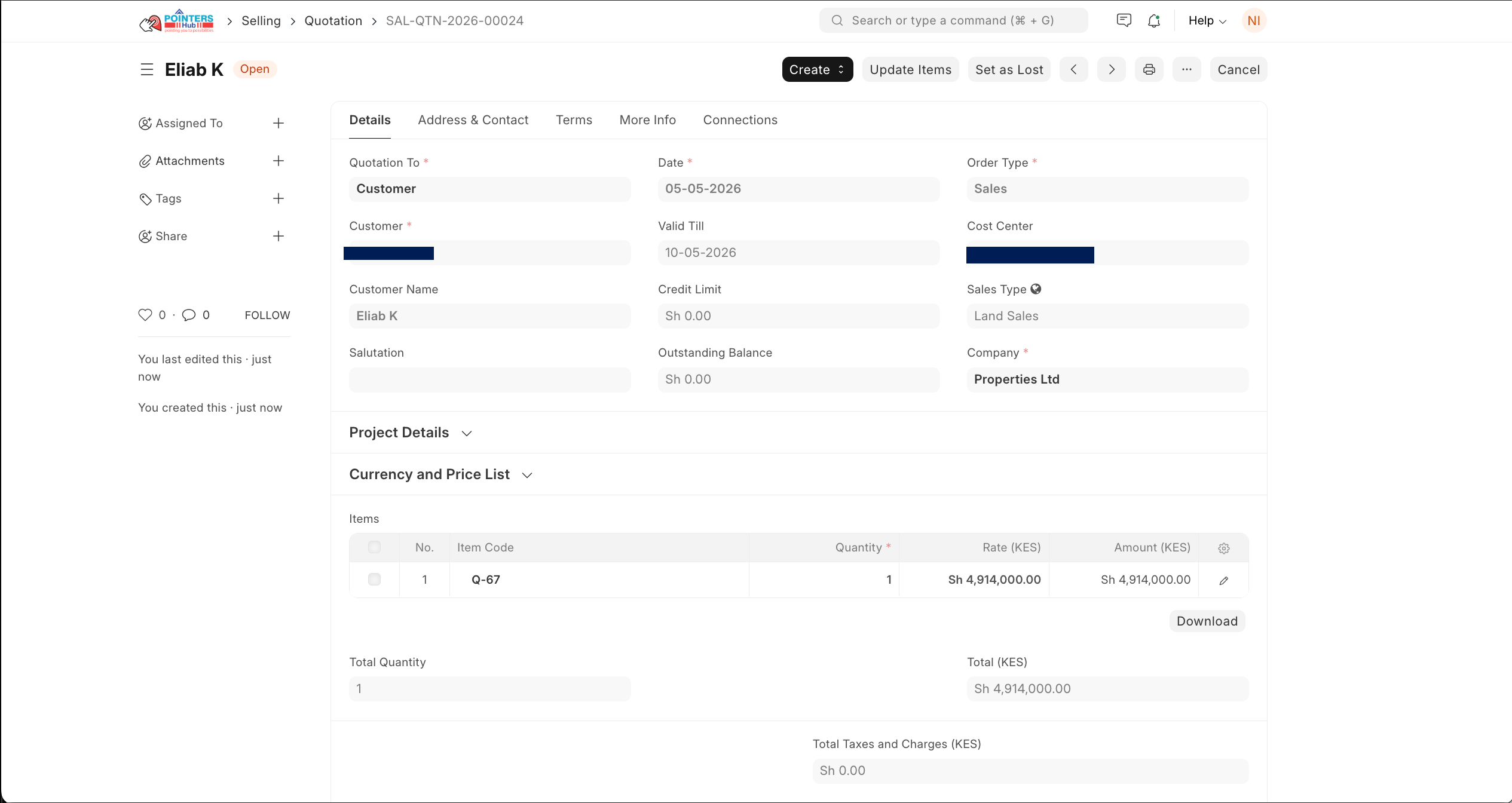
- A Quotation is created automatic all and Customer details are pulled from the booking.
- Property plot and pricing details are included.
- Next steps:
- Review all details (customer, item, price, validity).
- Click Save them submit the quotation if required.
Creating Sales Order
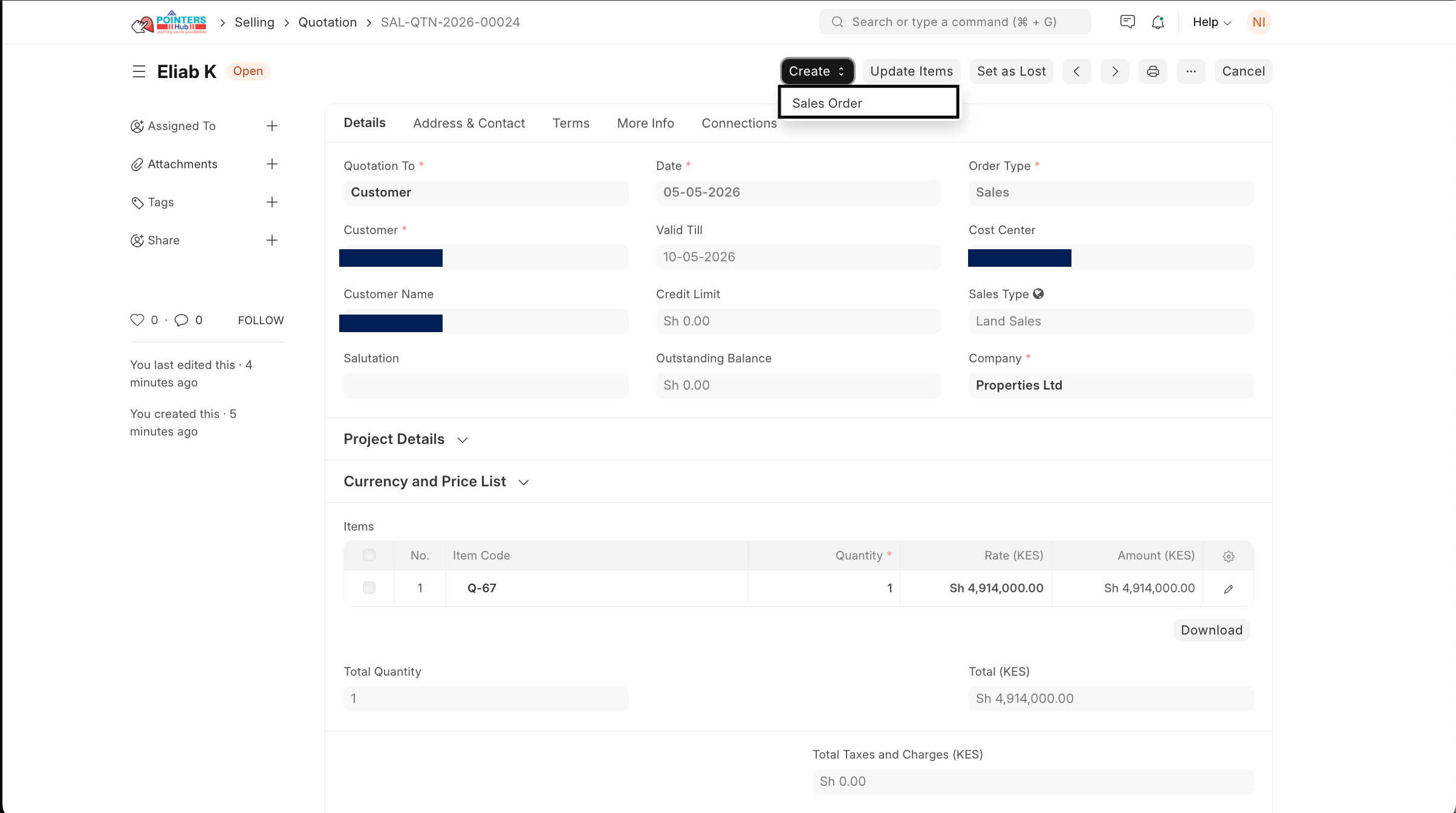
- Open the Quotation created.
- Click Create Sales Order.
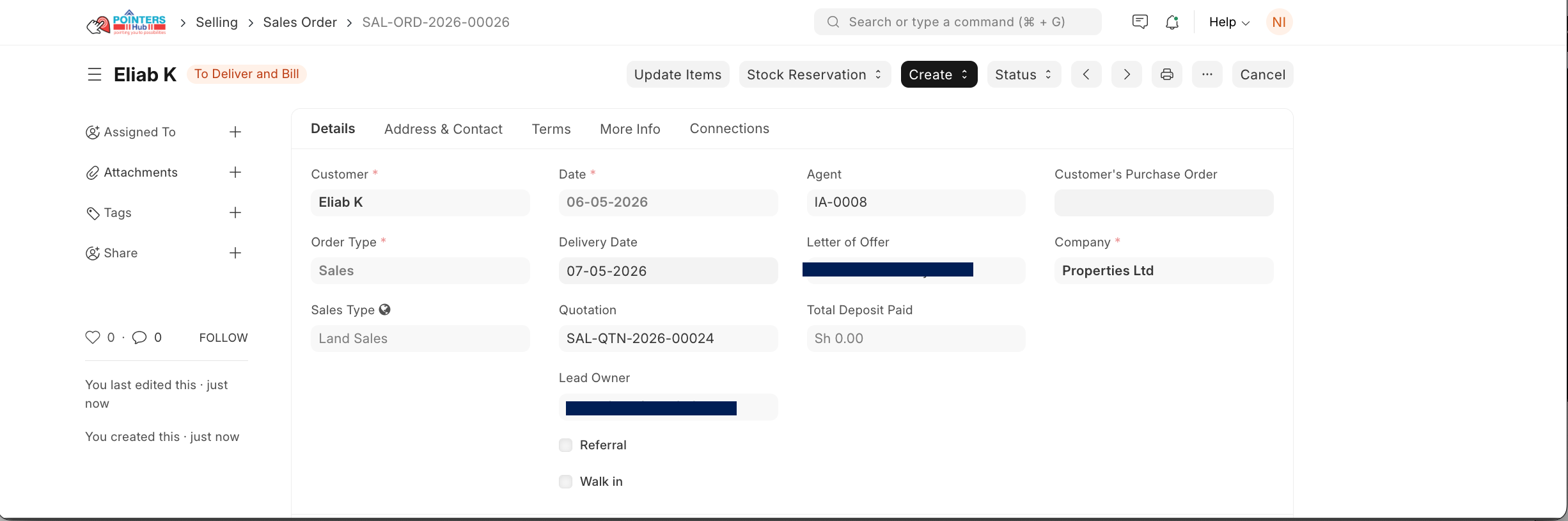
A Sales Order is generated with:
- Customer details
- Linked Quotation
- Linked Letter of Offer
- Agent information
- Land unit details
Review and Submit Sales Order
Confirm:
- Customer
- Order Type (Sales)
- Sales Type (e.g., Land Sales)
- Click Save then Submit.
Last updated 4 months ago
Was this helpful?