How to View Your Documents
Step 1: Log in to the customer portal
Open the company portal and sign in using your account details.
Step 2: Click Documents
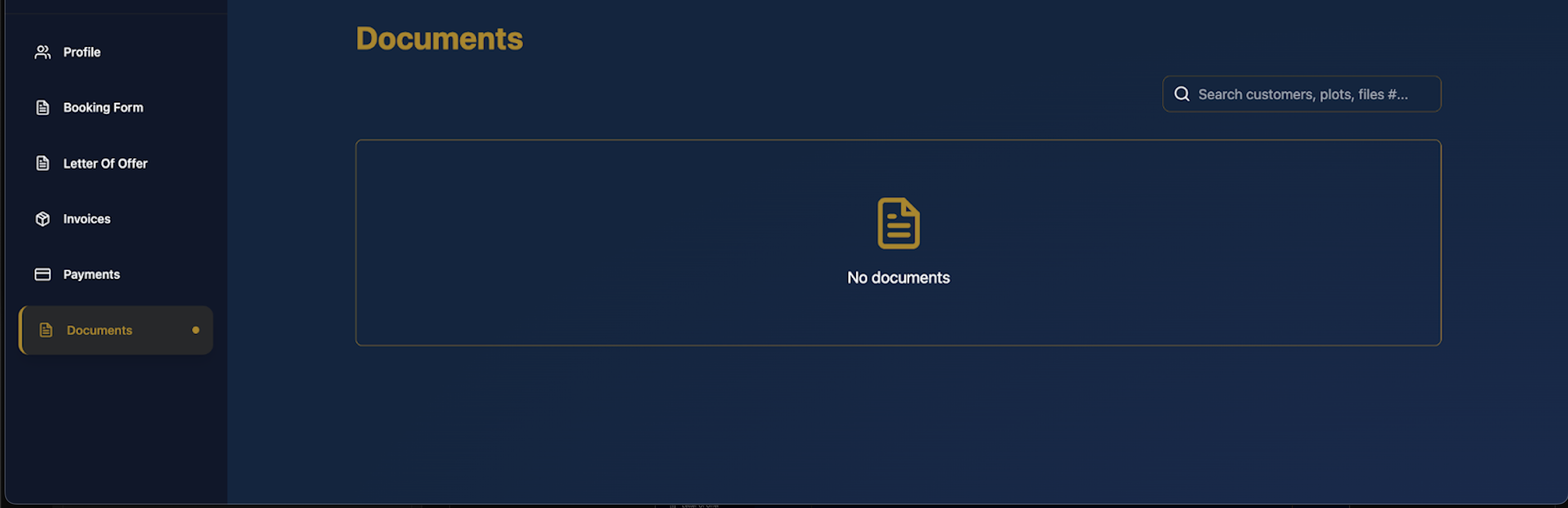
From the left-hand menu, select Documents to open the documents page.
Step 3: Check for available documents: If documents have been uploaded, they will appear in this section.
Step 4: Use the search bar (optional)
Use the search field at the top right to quickly find specific documents by name, plot, or reference.
Step 5: If no documents are displayed
If you see “No documents”, it means: No files have been uploaded to your account yet, or Your documents are still being processed
Step 6: Contact support if necessary
If you expect documents but don’t see any, contact customer support for assistance.
Last updated 4 months ago
Was this helpful?