How to check Letter of Offer
Step 1: Log in to the customer portal
Open the Customer portal and sign in using your account details.
Step 2: Go to the left menu
Once you are logged in, look at the navigation menu on the left side of the screen.
Step 3: Click Letter Of Offer
From the menu, Click Letter Of Offer.
This will open the Letter of Offer page for your plot or property.
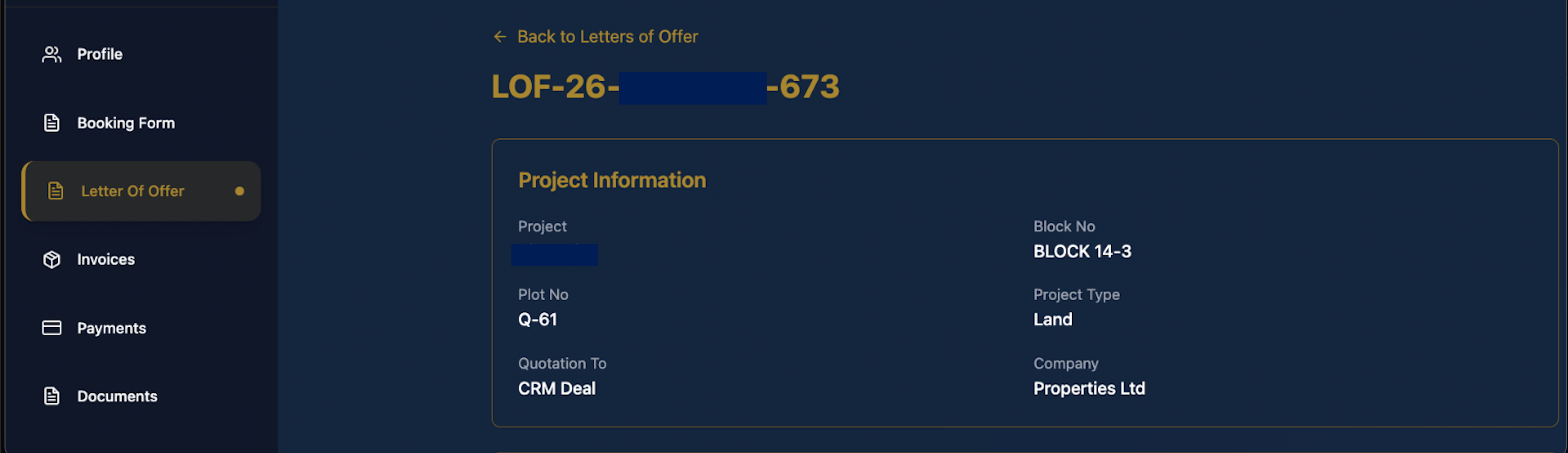
Step 4: Review the project information
At the top of the page, confirm the main property details, including:
- Project name
- Plot number
- Block number
- Project type
- Company name
This helps you confirm that you are viewing the correct offer.
Step 5: Check the summary section
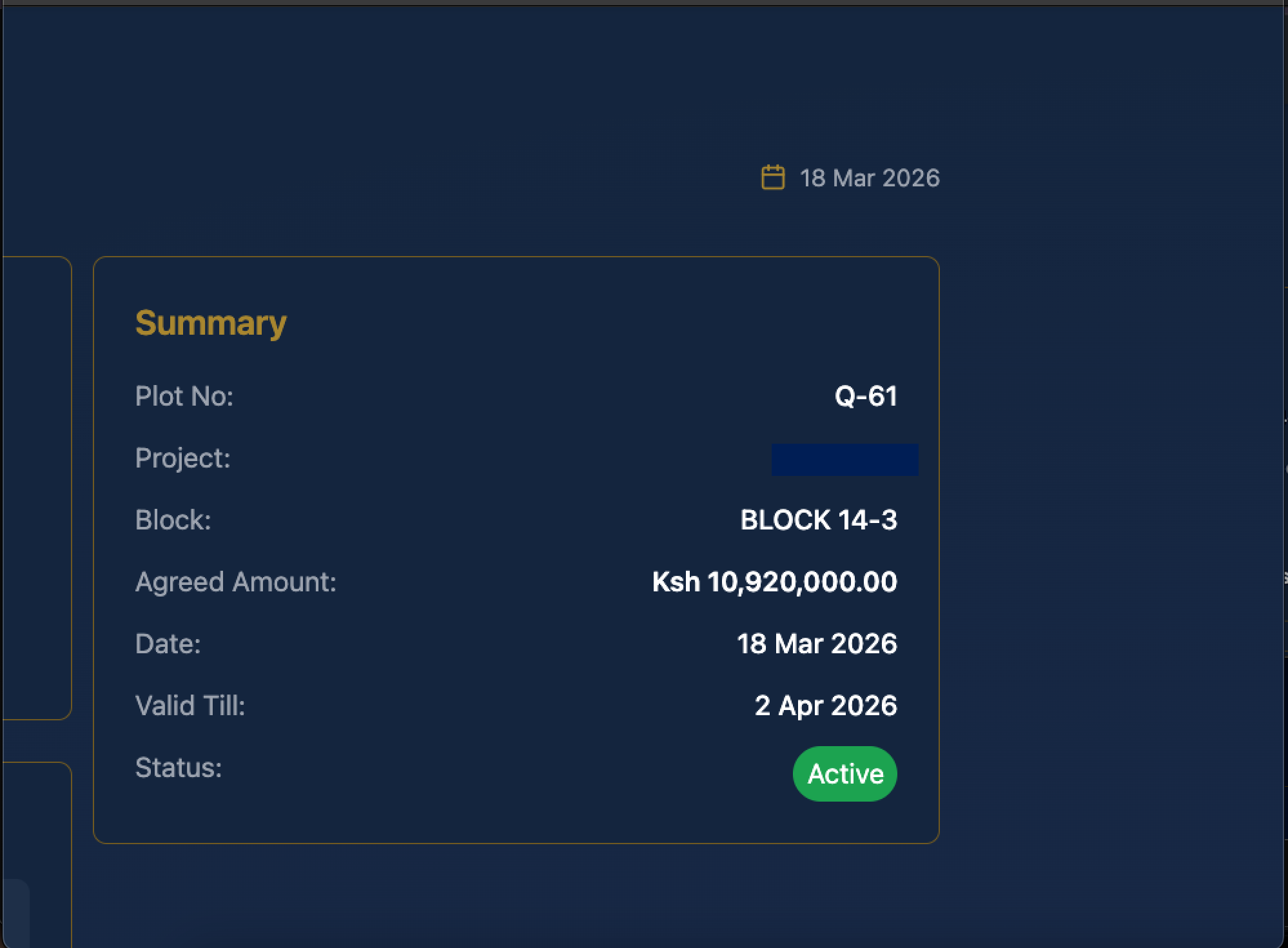
On the right side of the page, review the Summary panel.
Here you can confirm:
- Plot number
- Project name
- Block
- Agreed amount
- Date
- Valid till date
- Status
Step 6: Review the financial information
In the Financial Information section, check:
- Agreed amount
- Payment terms
- Valid till date
This section gives a quick overview of the offer value and payment arrangement.

Step 7: Check the payment schedule
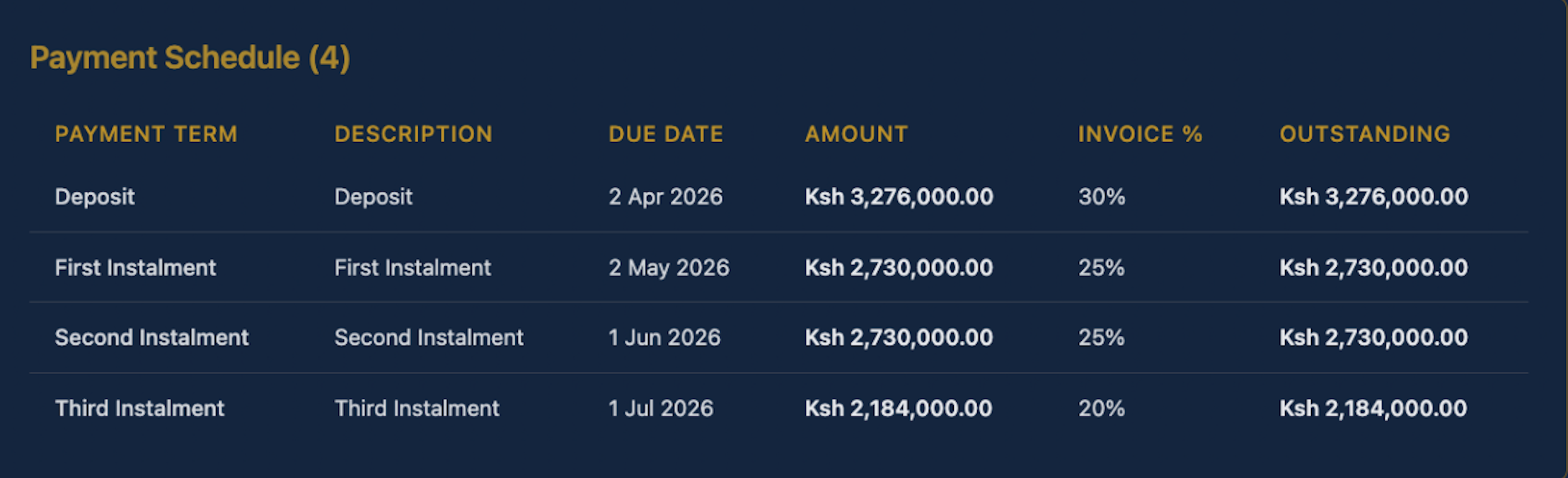
Scroll down to the Payment Schedule section.
Here you can see:
- Payment term
- Description
- Due date
- Amount
- Invoice percentage
- Outstanding amount
Use this section to understand when each payment is due and how much is expected at each stage.
Step 8: Review next of kin details
Further down the page, check the Next of Kin section to confirm the saved contact details are correct.

Step 9: Review land owner details
Confirm the information shown under Land Owners to verify the ownership details linked to the offer.
