How to Check and Track commissions
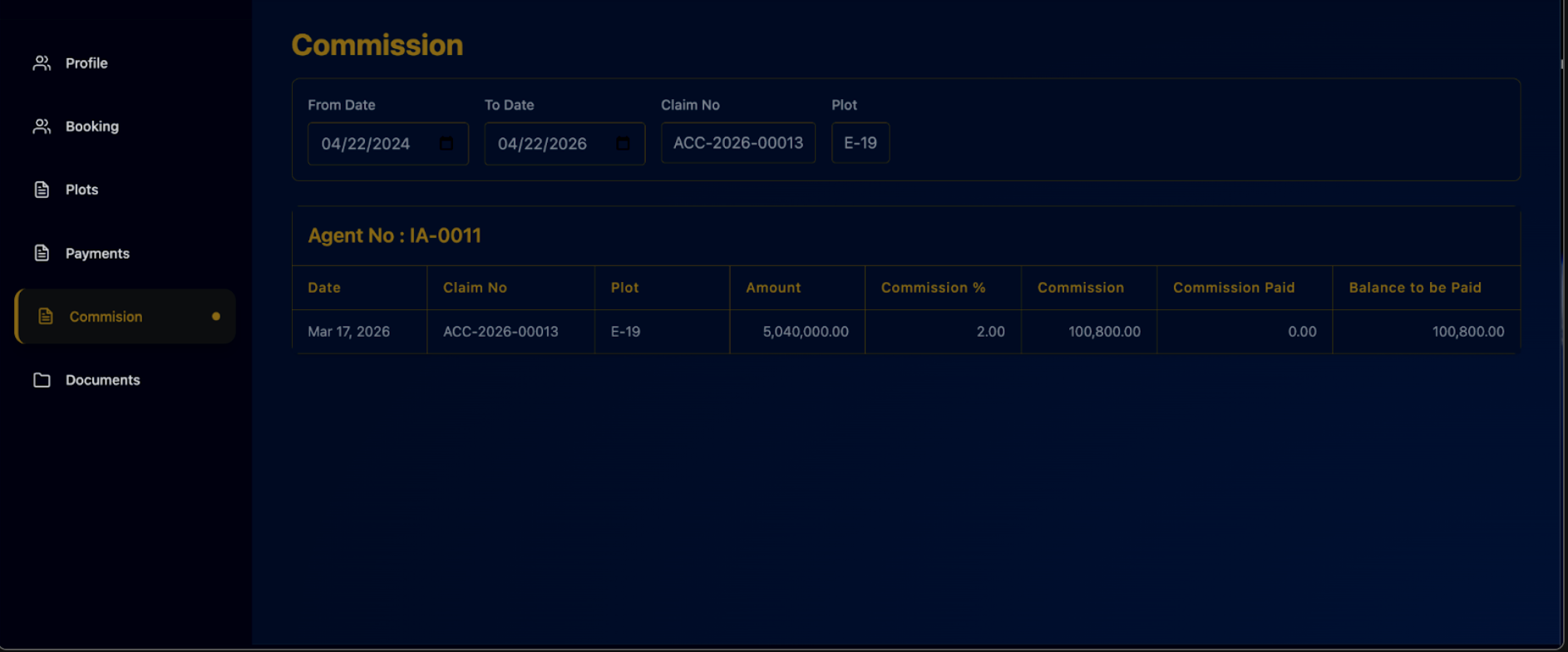
- Go to the Commission page
- Select From Date and To Date
- Enter Claim No or Plot to filter (Optional):
- Confirm your Agent No is correct
- Check the table:
- Amount = Total sale
- Commission % = Your rate
- Commission = What you earned
- Commission Paid = What you’ve received
- Balance to be Paid = What is still owed
- Read your status:
- If Paid = 0 → Not paid
- If Balance > 0 → Still pending
Last updated 4 months ago
Was this helpful?