How to Check and Track Payments
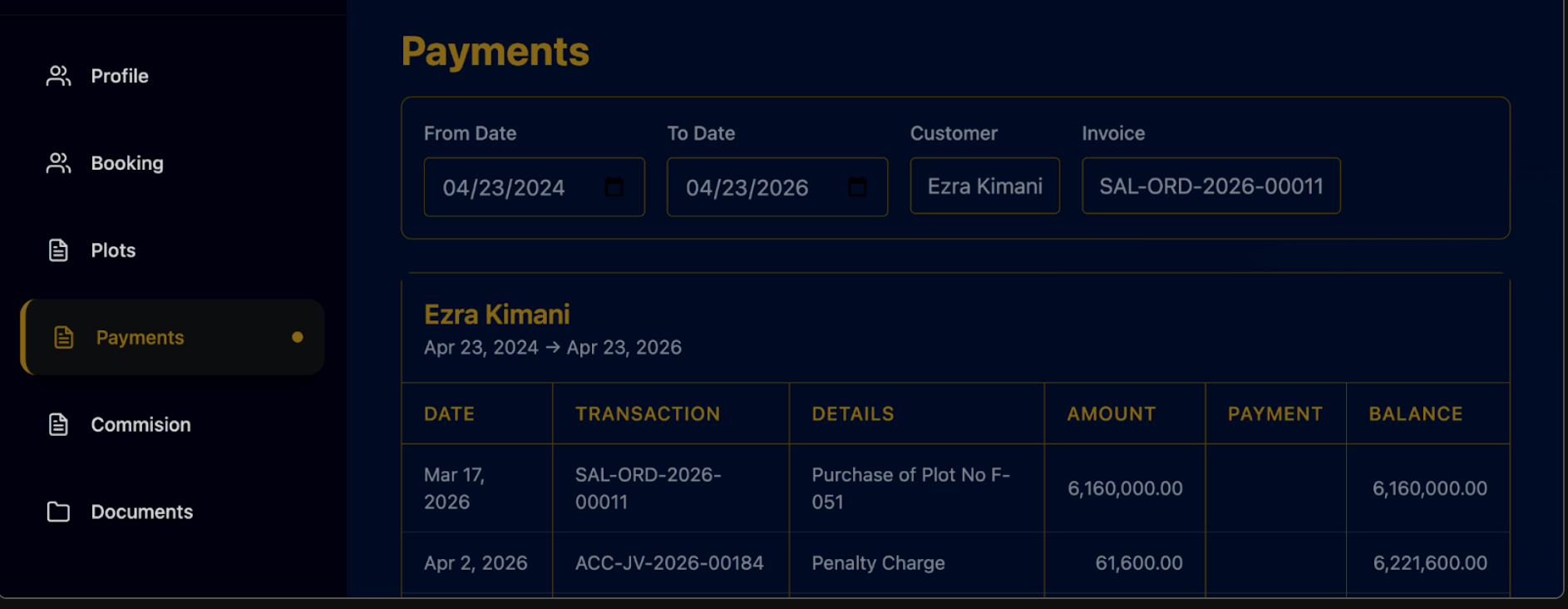
- Click the "Payments" tab on the left sidebar.
- Identify Records: View a list showing Customer Name, Plot ID, and Invoice Number.
- Track Transactions: Check the Transaction invoice and the specific Date the payment was made.
- Monitor Totals: View the Amount paid per transaction and any Penalties charged.
- Check Progress: Review the Balance column to see how much the client still owes on the plot.
Last updated 4 months ago
Was this helpful?