Vehicle and Visa Details
Vehicle Entry
- Click Add Row, open using the pencil icon
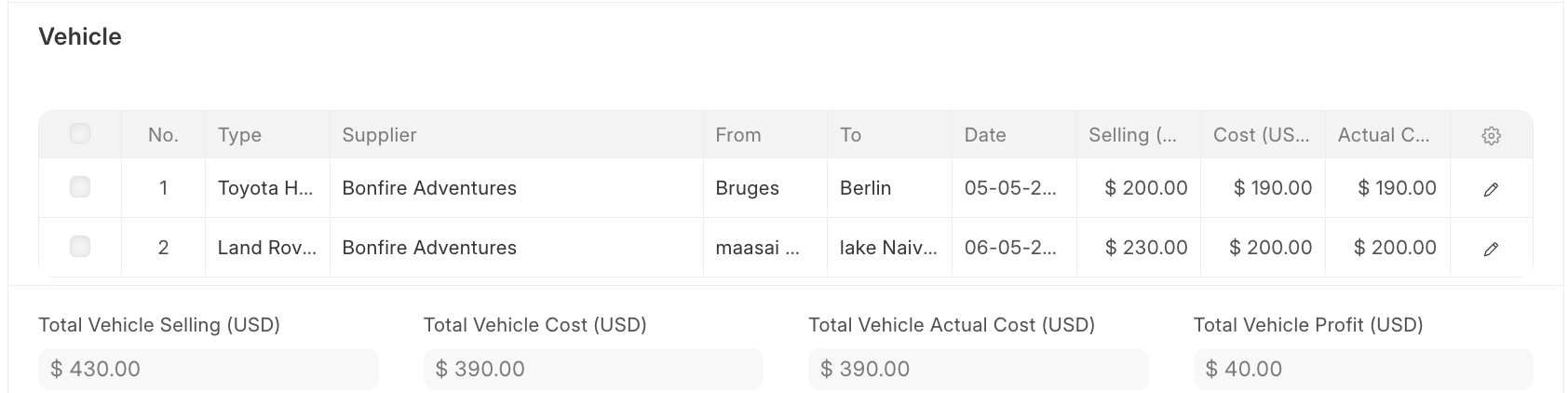
- Enter Vehicle Details
- Select vehicle (e.g. Toyota Hiace, Land Cruiser)
- Supplier; Transport provider
- Plate No; Vehicle registration (if available)
- Enter Route & Schedule
- From; Pickup location
- To; Drop-off location
- Date; Travel date
- Arrival and Departure
- Passenger Info; Adult / Children / Infant; Number of guests
- Pricing
- Selling; Price charged to guest inclusive of VAT
- Cost; Supplier cost
- Actual Cost; Final confirmed cost
- Currency; Usually USD or local currency
Visa Details
- In the booking form page click Add Row and fill in the details:
- Click the pen icon on the far right to open the full visa form and enter the visa details:
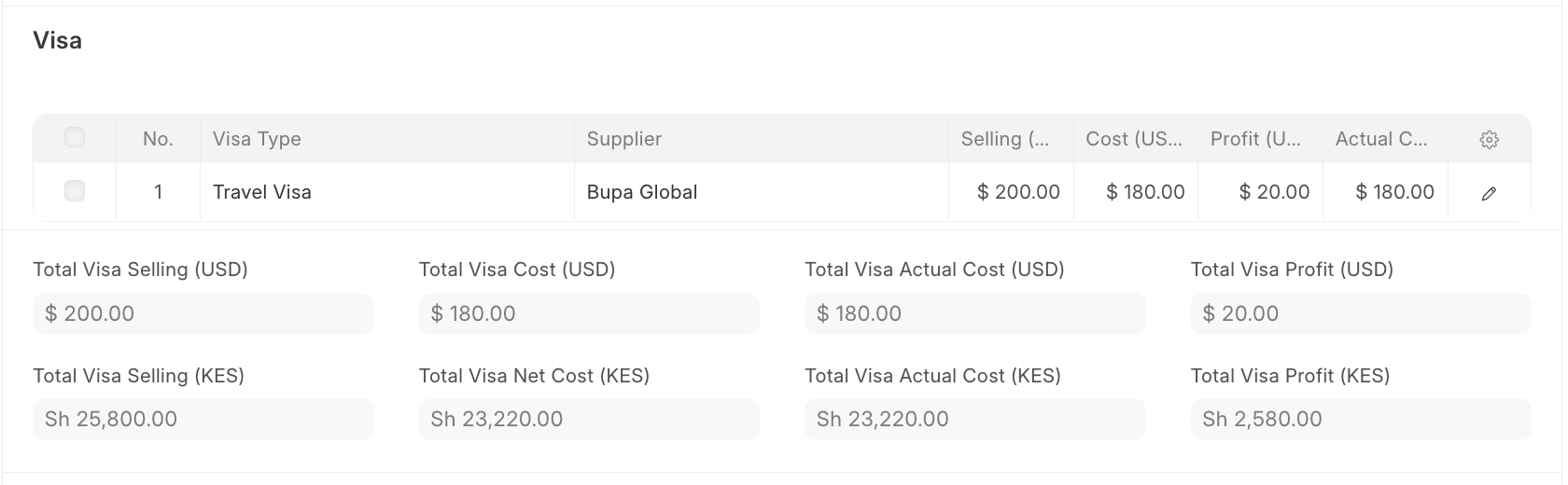
- Key Fields:
- Visa Type
- Supplier; Service provider handling the visa.
- Application Date; Date the visa was applied for
- Selling price; Amount charged to the customer inclusive of VAT
- Cost price; Amount paid to the supplier
- Actual Cost; Final cost incurred (if different from planned cost)
Last updated 4 months ago
Was this helpful?