How to Create a Booking Initial
Booking Initials
- Log in to the system using your authorised login credentials.
- From the main dashboard, locate and open the Booking section.
- Open Booking Initials

- Click Add Booking Initials to open a new booking initials form.

- In the Initials field, input a short, unique code representing the user (e.g JK)
- In the User field, select the corresponding user email from the system.
- Add a Description (Optional but Recommended); Provide a brief description to clarify the purpose of the initials.
Example: “Initials assigned to James Kimani for booking identification”
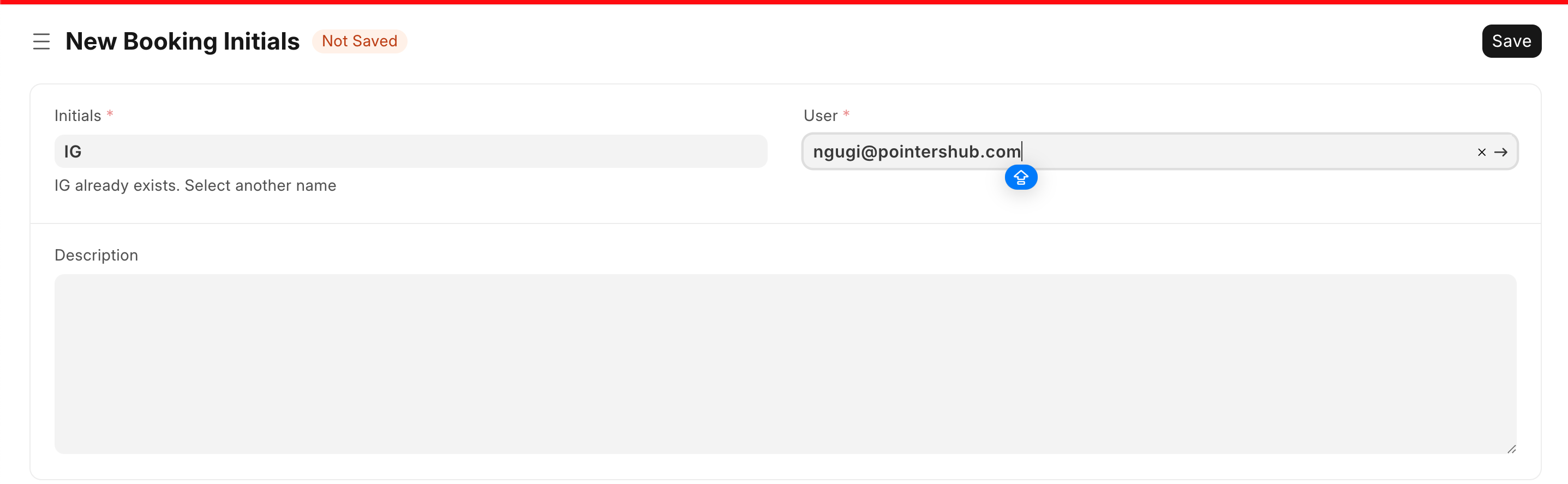
- Save the record; Click Save tab in the top-right corner to finalise the entry.

- Verification
After saving:
- The booking initials will be stored in the system
- They will automatically apply to bookings created by the assigned user
Last updated 4 months ago
Was this helpful?