Hotel and Flights Details
Hotel Details
In the Booking form
- Click Add Row
- Click the (pen icon) on the right to open the full form
Add:
- Hotel
- Confirmation No.
- Supplier
- Check In and Out dates
- Selling price; Amount charged to the customer
- Cost price; Amount paid to the supplier inclusive of VAT
- Actual Cost; Final cost incurred.
- Rooms & Guests
- Finally save the entries
Flights Details
- In the Booking form under Flights section.
- Click Add Row to create a new flight entry.
- Click the pen icon on the far right to open the full flight form and enter the flight details:
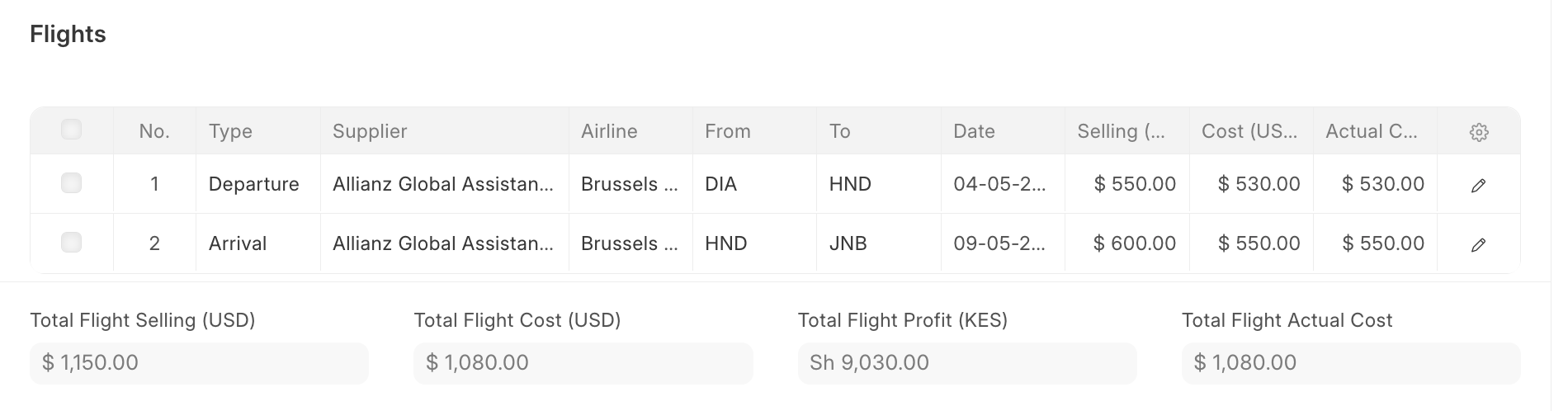
Key Fields:
- Type: Arrival or Departure
- Supplier; Service provider handling the visa
- Airline & Flight No: Flight details
- From / To: Travel route
- Date & Time: Flight schedule
- Pickup From and To: the time window when the driver will pick up passengers from the airport
- Passengers; Adults / Children / Infants: Number of travellers
- Selling: Charged to customer inclusive of VAT
- Cost: Paid to supplier
- Actual Cost; Final cost incurred (for profit tracking)
- Confirm the Currency is correct.
- Save the entry after reviewing the details.
Last updated 4 months ago
Was this helpful?