Booking Form Details
The Booking form is used to create a new customer booking in the system. It captures the main booking information, customer details, travel or service details, and any related booking components such as hotels, flights, visa, insurance, activities, payments and operations. Each booking is created using a Booking Initial, which helps generate the booking reference and identify the user responsible for creating it.
Step by Step
- Log in to the system.
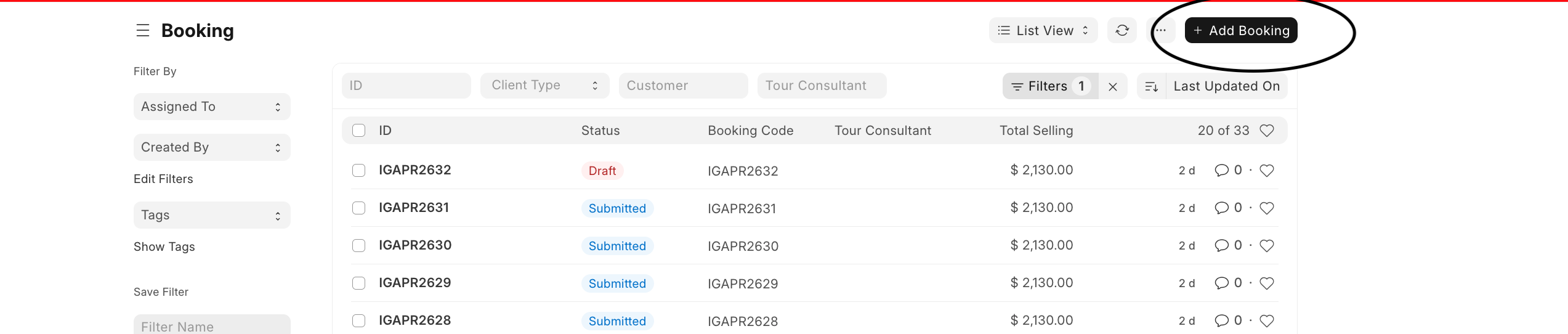
- From the Booking section on the dashboard, click Booking.
- This opens the booking list, where existing bookings are displayed.
You will see:
- Booking IDs
- Booking status
- Booking code
- Tour consultant
- Total selling value
- On the Booking list page, click + Add Booking at the top right.
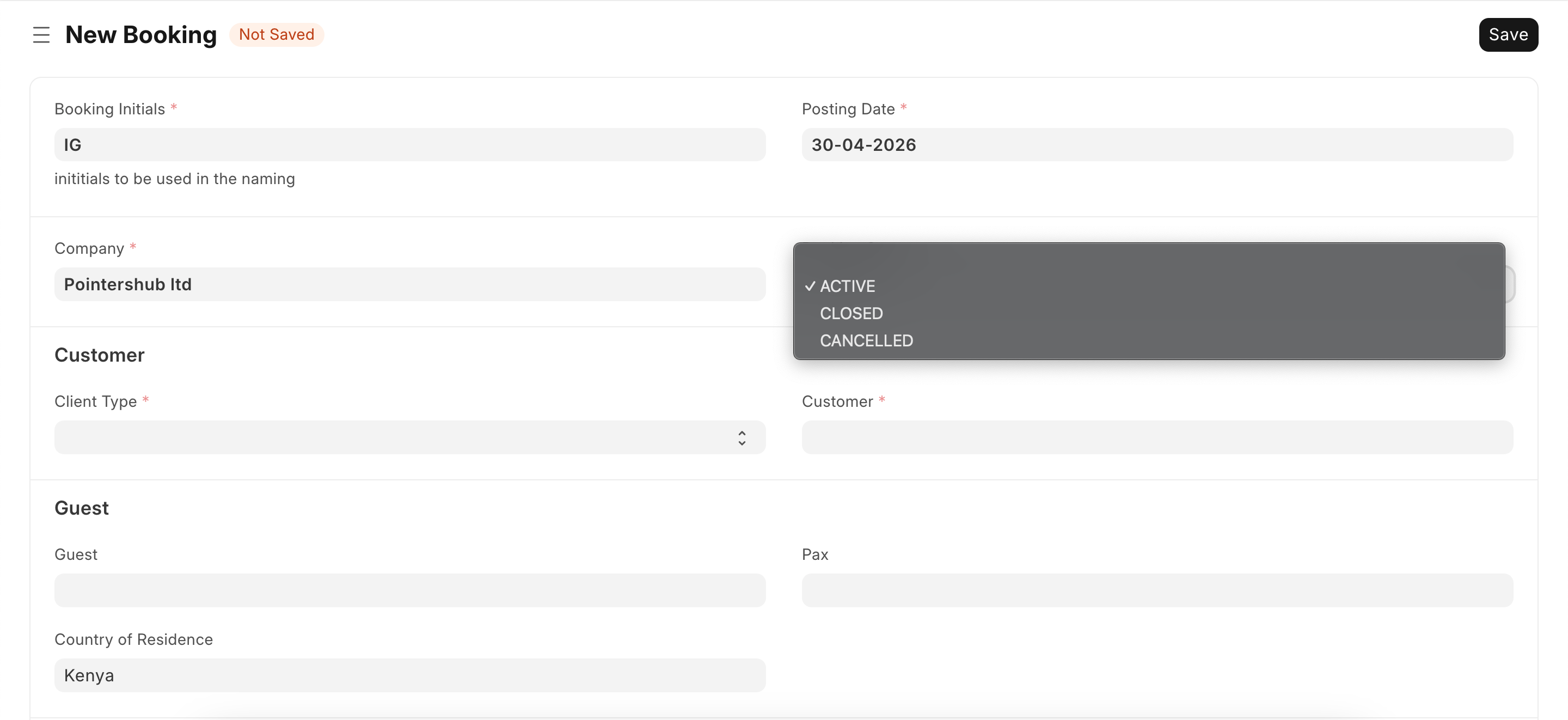
- The New Booking form will open. At this stage, the form will show Not Saved until all required details are entered and the booking is saved.
- In the Booking Initials field, select or enter the correct initials. These initials are used in the booking naming and are usually linked to the user creating the booking.
- Enter or confirm the Posting Date. This is the date the booking is being recorded in the system.
- Select or confirm the Company. Example: Pointershub ltd
- Choose the appropriate booking status. Example: ACTIVE, CLOSED OR CANCELED
Last updated 4 months ago
Was this helpful?