Applying for Credit
Applying for Credit
The portal lets customers start a credit application themselves — and existing customers can request a limit increase — without the credit team having to create it for them. Either way, the request comes through to the team for review, following the same approval process as an application created internally.
Applying for credit
- From the portal, choose Apply for Credit.
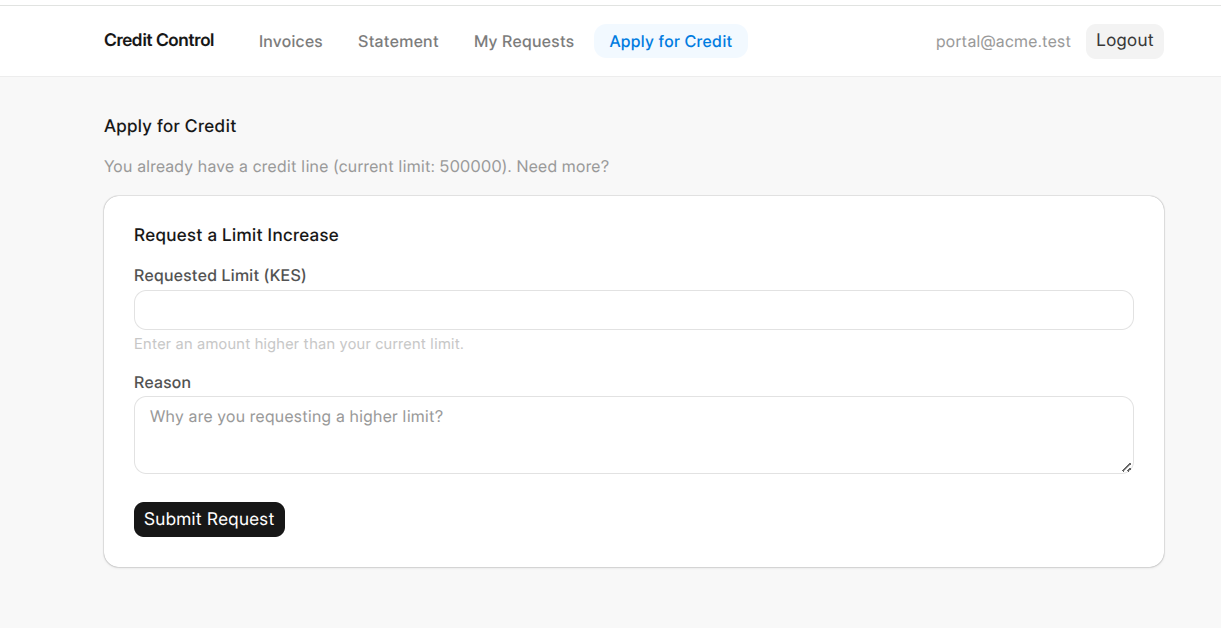
- Enter the requested limit — how much credit they're asking for.
- Enter the purpose — the business reason for the request.
- Upload any required documents (identity, registration, financials) and add trade references if requested.
- Submit.
Requesting a limit increase
An existing customer who already has credit can ask for a higher limit the same way — entering the new requested limit and a purpose. It's routed to the team as a limit-increase request.
What happens next
The request lands in the credit team's queue for review, exactly like an internally-created application. From there it follows the normal path — the team reviews it, sets an approved amount (which may differ from what was requested), and approves or declines it. If approved, the customer's credit profile and limit are set up or updated automatically.
The customer can track the status of their request from the My Requests tab.
Why it's useful
A customer who needs credit — or more credit — can start the process instantly, upload their documents in one place, and follow its progress, instead of going back and forth by email with the credit team.