Handling a Dispute
A Credit Dispute is what you raise when a customer challenges an invoice — wrong amount, goods not received, a quality issue, and so on. As soon as it's raised, the system pauses collections on that invoice until it's resolved. This is a compliance protection: chasing a customer for money they've legitimately disputed creates legal and reputational risk.
Who raises one
- Collector — most common, during a collections call
- Credit Analyst or Manager — when handling a complaint
- Customer — through the self-service portal
How to raise a dispute
- Go to Credit Dispute and click New.
- Select the Customer and the Invoice being disputed.
- Pick the Category (Pricing Error, Goods Not Received, Quality Issue, etc.). Each category has its own resolution deadline (12 to 48 hours) and routes to the right department.
- Enter the Dispute Amount (can be the full invoice or just a portion) and a short Description of the customer's claim.
- Save.
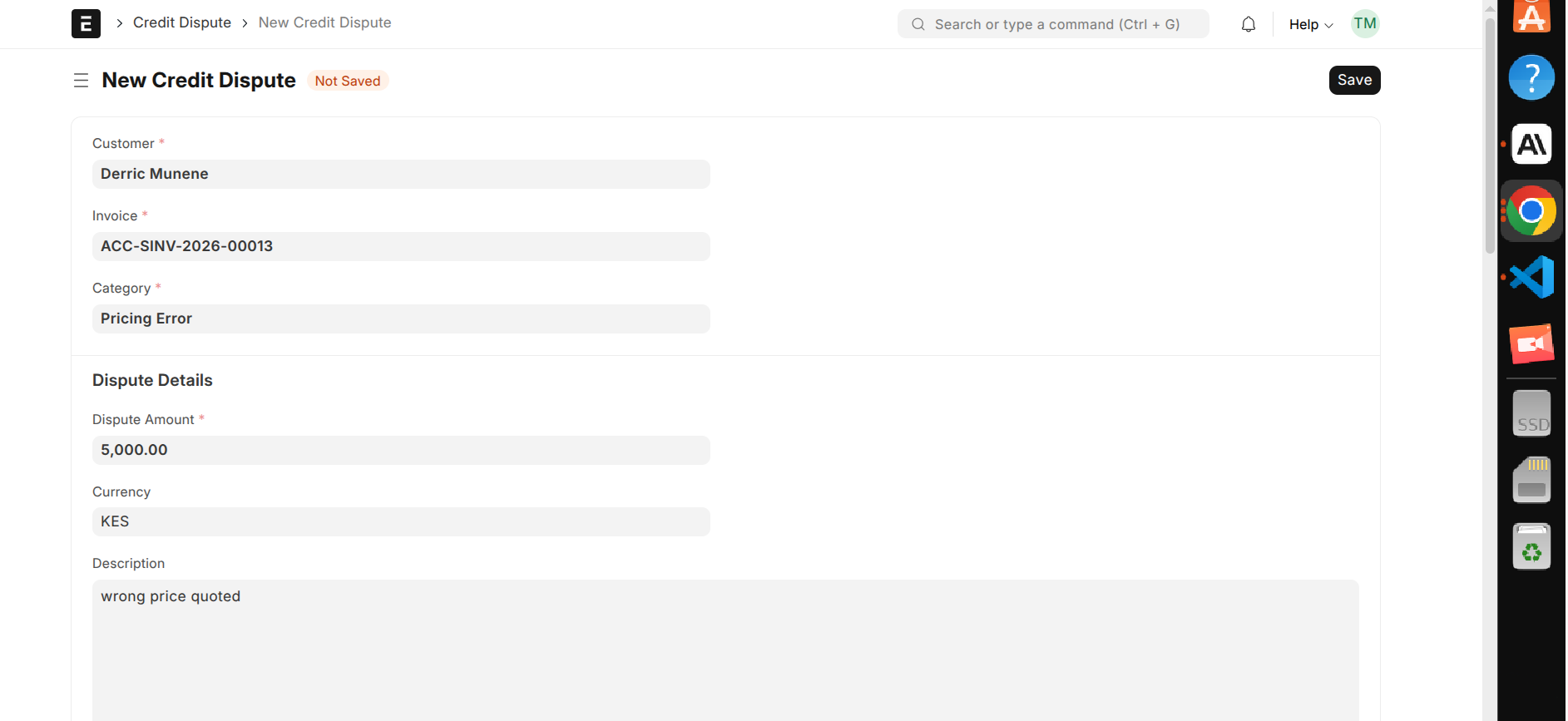
On save, the system automatically ring-fences the disputed amount (it stops counting toward collections), calculates the target resolution date from the category's deadline, and logs the action in the dispute's audit trail.
The dispute lifecycle
| Status | What it means |
|---|---|
| Open | Just raised, not yet reviewed |
| Under Review | Being investigated |
| Escalated | Moved to higher authority |
| Resolved | Settled, with a recorded outcome |
| Rejected | Determined not to be valid |
Meeting the deadline (SLA)
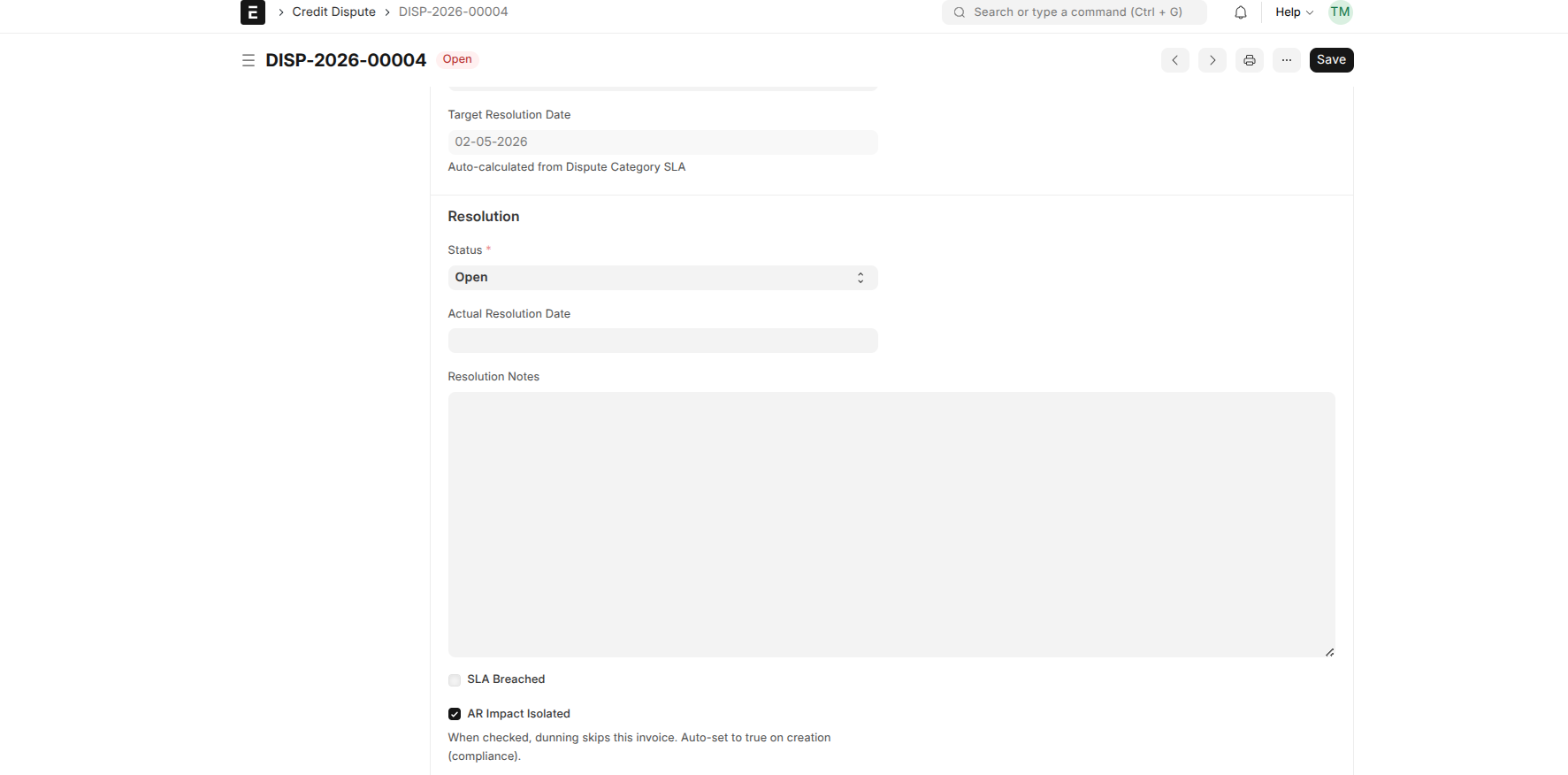
Each dispute has a target resolution date based on its category. A daily check runs automatically and flags any still-open dispute whose deadline has passed, so slow-moving disputes surface on their own — you don't have to wait until resolution for a breach to show up.
Resolving a dispute
When you resolve a dispute, you must record the outcome — you can't close it without documenting why. Resolving also lifts the ring-fence, so the amount re-enters normal collections. If the dispute was upheld in the customer's favour, finance is notified automatically to review and issue a credit note or adjustment if needed. The system doesn't change the invoice itself — that stays a deliberate finance decision. Rejecting a dispute does not notify finance.