Creating a Customer
Creating a Customer
Before anyone can apply for credit, they must exist as a Customer in the system. This is the basic sales record — name, type, tax details, contact information. It's normally created by the Sales team when the customer first starts buying, usually on cash terms.
The credit team doesn't own this step, but it's worth knowing how it works, because a credit application can't be raised without it.
How to create a Customer
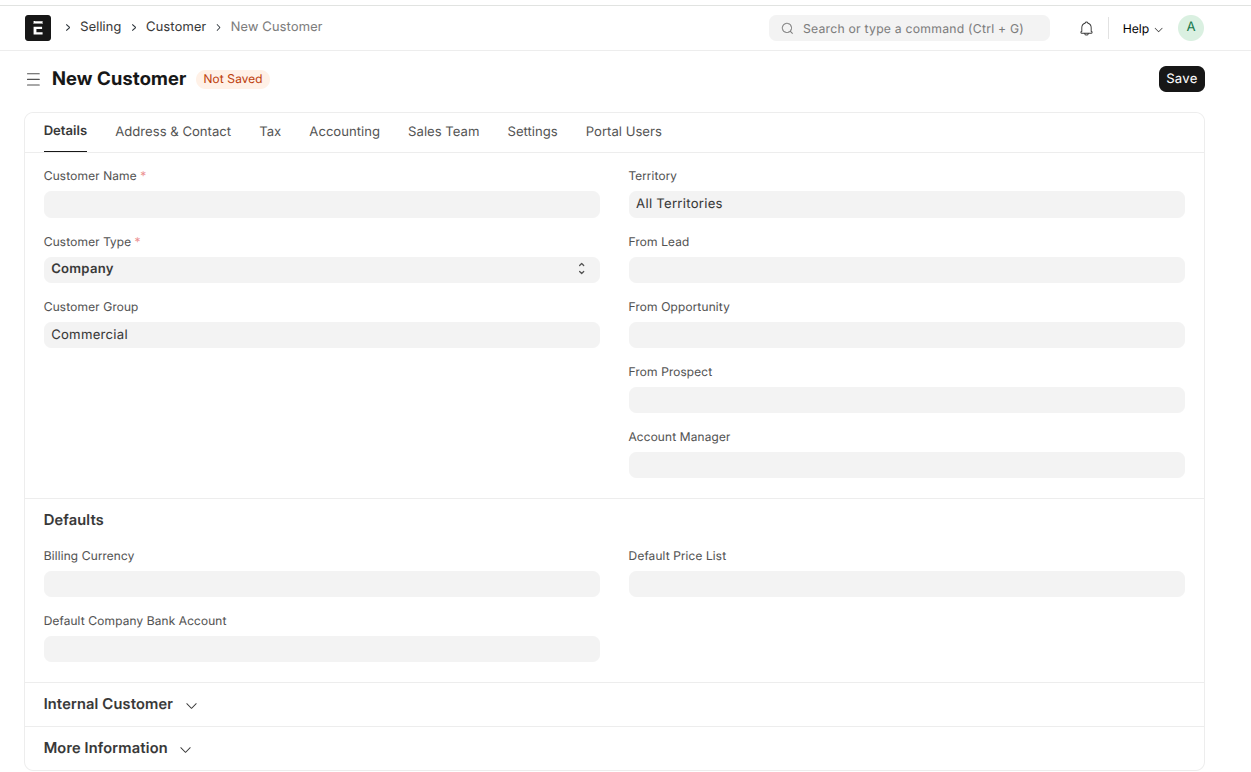
- Go to Customer and click New.
- Enter the Customer Name.
- Choose the Customer Type — Individual, Company, Partnership, or Proprietorship.
- Select a Customer Group and Territory.
- Enter the Tax ID — this is where the KRA PIN goes.
- Add the customer's contact details and billing address.
- Save.
What the credit team needs
A few fields matter later, when the customer applies for credit — they're pulled straight onto the credit application, so getting them right here saves rework:
- Tax ID — this is where the KRA PIN goes. Required.
- Customer Type — determines which identity documents the application asks for
- Email address — needed before credit can be granted, for payment reminders and portal access
- National ID Number (for individuals) or Company Registration No. (for companies)What happens next
Once the Customer exists, the credit team can raise a Credit Application for them. On approval, the system creates their Credit Customer record — the credit profile — and their credit limit.