An Item is a product or a service offered by your company.
The term Item is also applicable to raw materials or components of products yet to be produced (before they can be sold to customers). ERPNext allows you to manage all sorts of items like raw-materials, sub-assemblies, finished goods, item variants, and service items.
ERPNext is optimized for itemized management of your sales and purchase. If you are in services, you can create an Item for each service that you offer. Completing the Item Master is very essential for the successful implementation of ERPNext.
To access the Item list, go to: > Home > Stock > Items and Pricing > Item
How to create an Item
- Go to the Item list, click on new.
- Enter an Item Code, the name will be auto-filled the same as Item Code on clicking inside the Item Name field.
- Select an Item Group.
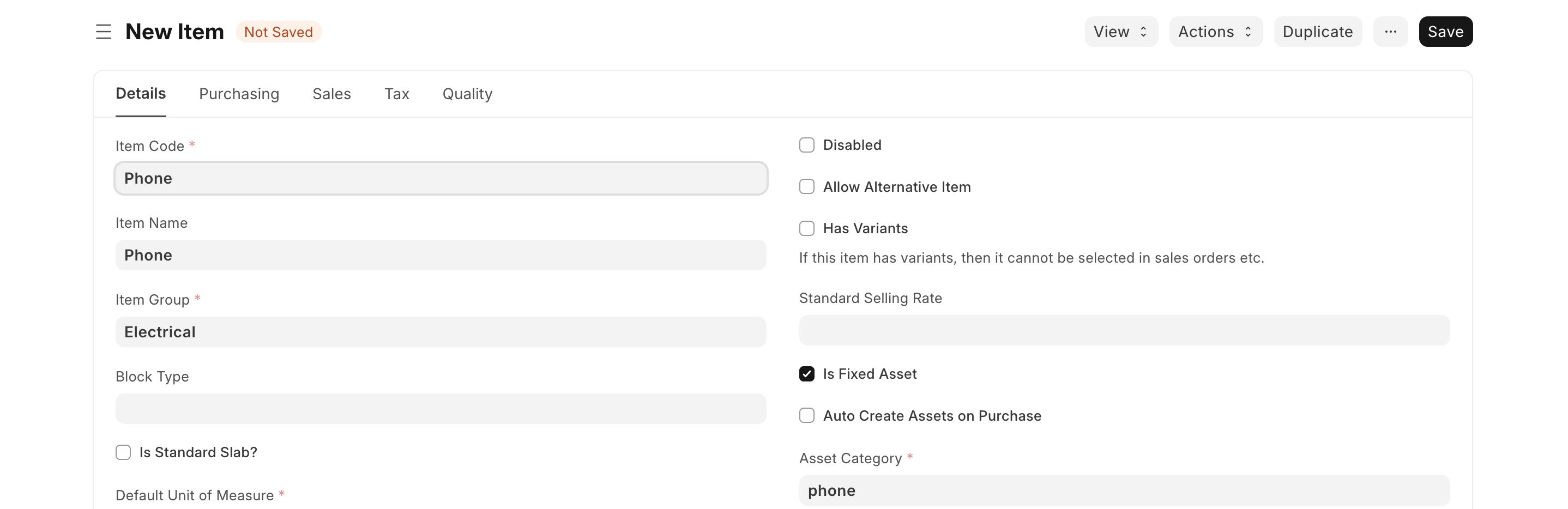
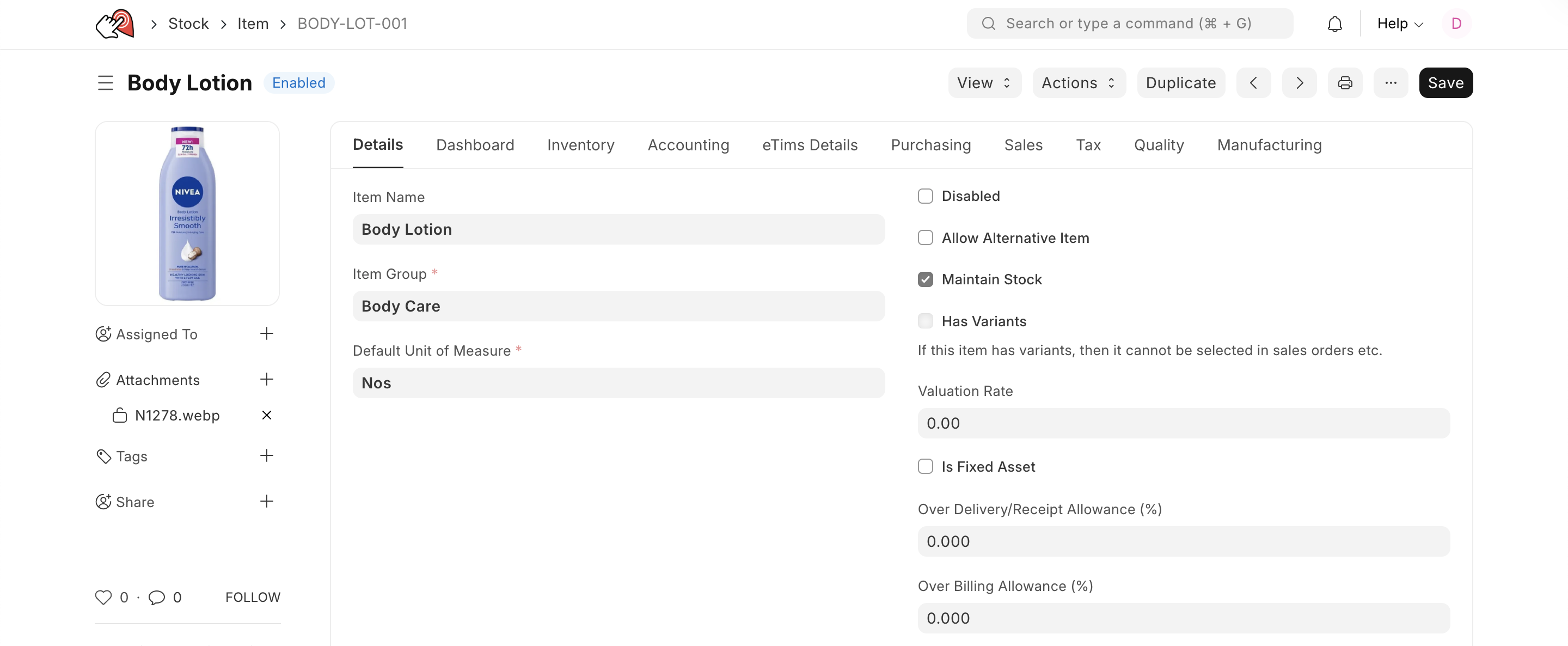
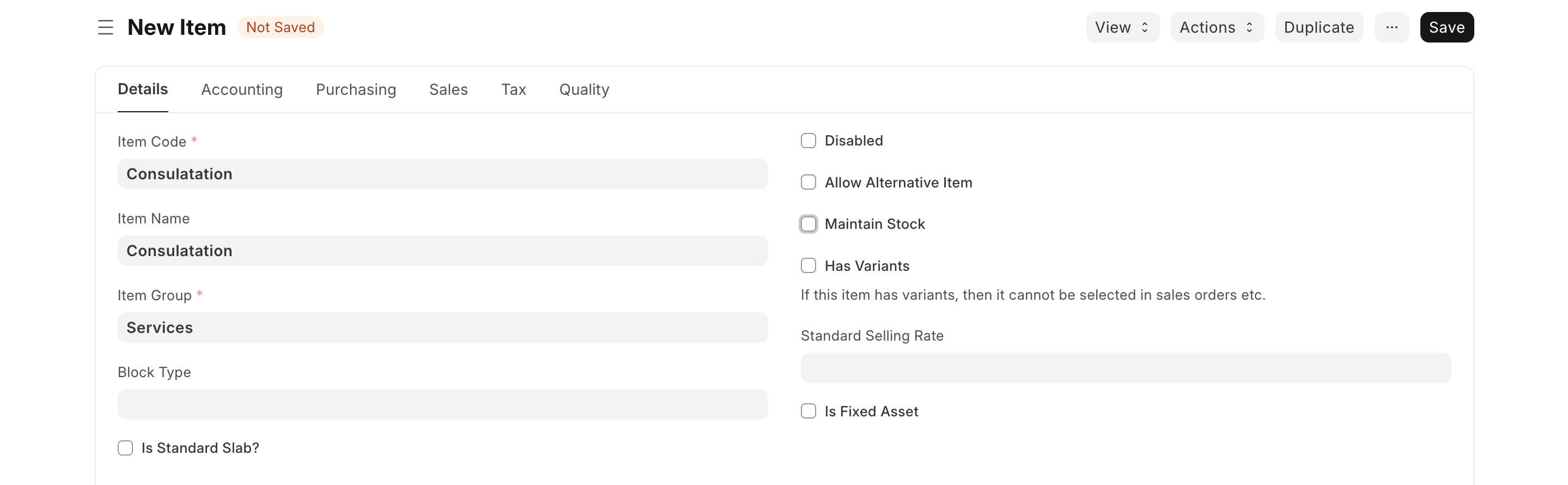
- Tick the maintain stock if it is an item in stock,if the item is an asset tick the is a fixed asset checkbox, if the the item is a service do not tick the maintain stock check box
- Save
Item as a Service
This is intangible. Think of consulting hours, maintenance fees, or shipping charges.
- The Logic: You can’t "store" a service in a warehouse. There is no inventory count.
- Accounting: It bypasses the warehouse logic and hits your Income or Expense accounts directly.
- Key Feature: You uncheck the "Maintain Stock" box in the Item master.
Item as an Asset
This is equipment your company owns to help run the business (e.g., a laptop, a delivery truck, or a heavy machine).
- The Logic: You aren't buying it to sell it immediately; you're buying it to use it over a long period.
- Accounting: ERPNext will automatically calculate Depreciation over time, lowering its value on your books every month/year.
- Key Feature: You must check "Is Fixed Asset." This links the item to an Asset Category and a Depreciation Schedule.